
Inventory
Know what's on the shelf without counting it
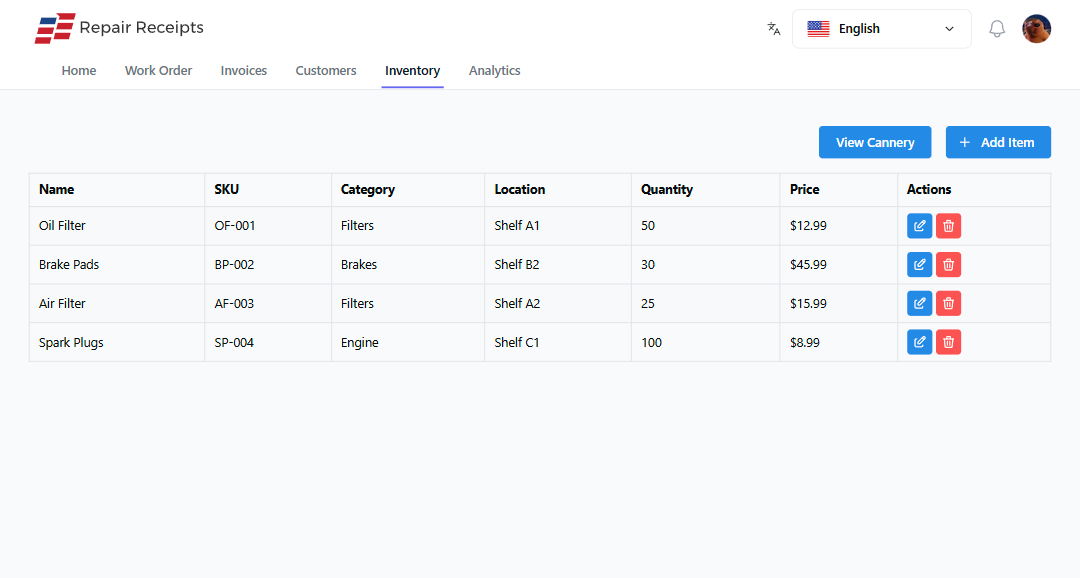
Track the parts you stock and watch counts drop as you use them on jobs. A glance tells you what's running low before a customer waits on it.
What changes
The count stops living in your head
Parts come off the shelf onto the invoice, and the count follows along on its own.
- See what's low
- Counts drop as you add parts to invoices, so you know what to grab on the next parts run.
- Stop double-counting
- Add a part to a job and it comes off the shelf count automatically. No separate tally to keep.
- Watch your cost
- Record what you paid for a part so you can see the margin between your cost and your price.
- Find it fast
- Search your stock by part number or description when you're building a ticket.
Features
What you'll actually use every day
Track stock without a separate spreadsheet.
- Parts you stock, tracked
Add the parts you carry with counts and cost. See what's on the shelf at any time.
- Counts drop on use
Add a part to an invoice and it comes off your count. Void the invoice and the count comes back.
- Quick part lookup
Search stock by part number or description while you build a ticket, so you're not hunting the shelf.
- Cost and margin
Record what a part cost you next to what you charge, so you can see the margin on it.
- See what's running low
As counts fall, low items stand out, so you restock before a job stalls waiting on a part.
How it works
Accurate stock, minimal effort
The count keeps itself once the parts are in.
Add your parts
Enter the parts you stock with their counts and what they cost you.
Use them on jobs
Add a part to an invoice and the system takes it off your shelf count automatically.
Spot what's low
Watch counts fall as you work, so the parts running low stand out before they run out.
Restock and adjust
Bring stock back in, update the counts, and keep your inventory honest.
Frequently Asked Questions
How is inventory deducted?
When you add a part to an invoice, the count comes off your shelf automatically. If you remove the part or void the invoice, the count is restored.
Can I see what's running low?
Yes. As you use parts, counts drop, and low items stand out so you can restock before a job stalls waiting on a part.
Can I track what a part cost me?
Yes. Record your cost on a part alongside what you charge, so you can see the margin between the two.
Can I search my parts quickly?
Yes. Search your stock by part number or description while you build a ticket, so you find what you need without walking the shelf.
What does it cost to start?
The free plan covers unlimited estimates and invoices with no credit card required. You can add parts to jobs and track your stock as you grow.
Start tracking your parts here
Free plan, no credit card, and a count that keeps itself.